
Nails by Ivyy · Online booking and management Booking down to the detail.
Website, booking and management panel for a nail studio in Curitiba, Brazil, with Google Calendar, WhatsApp reminders and a new website the owner edits without a developer.
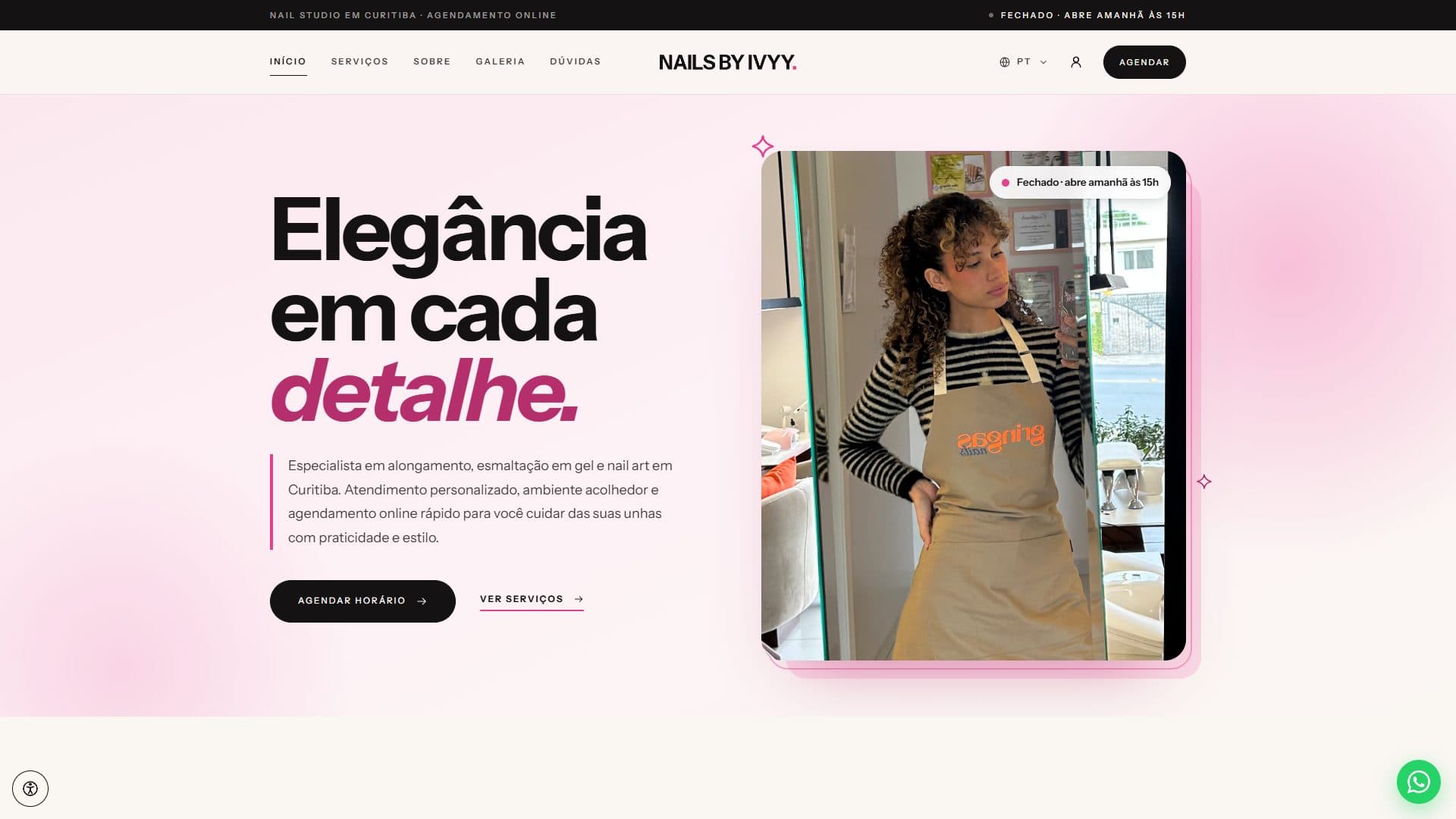
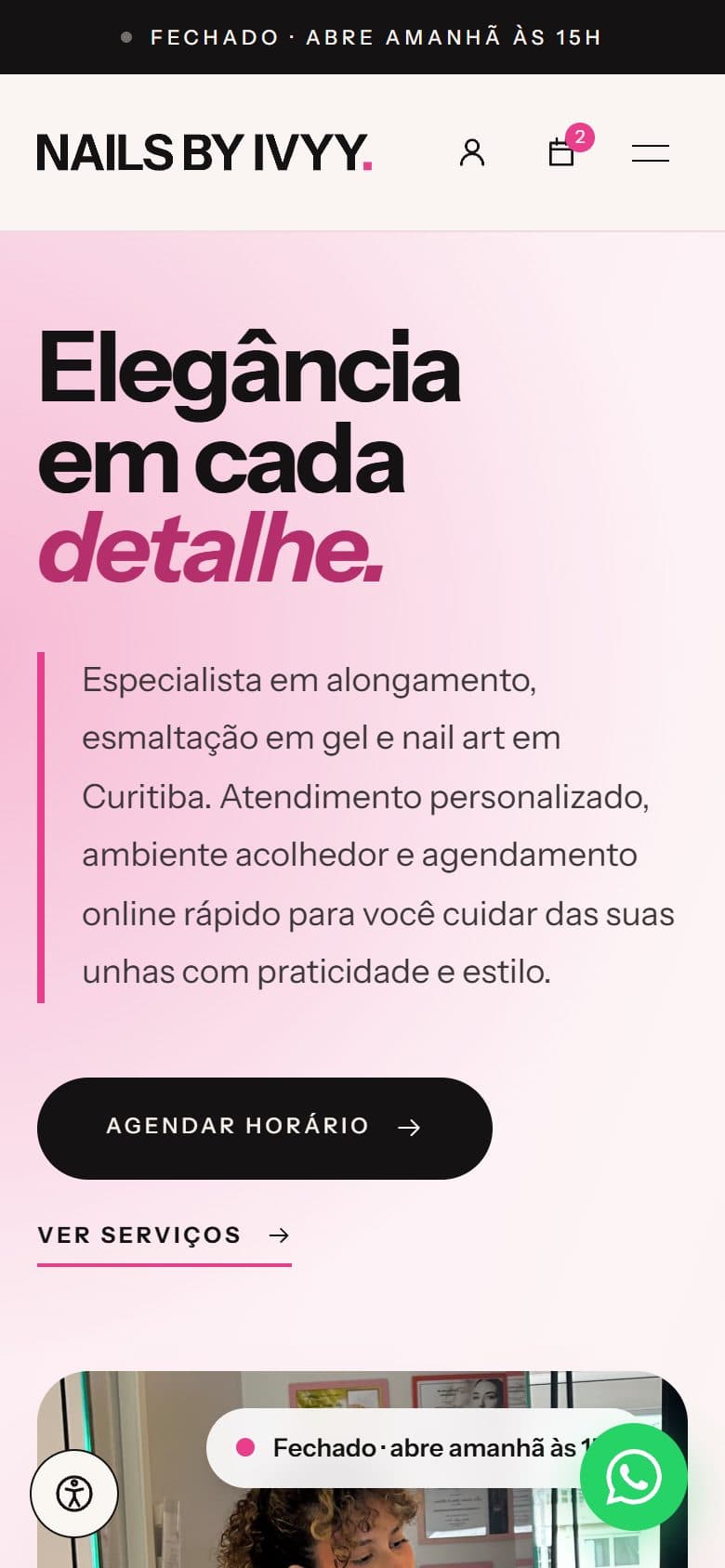
Where I come in
A whole product, end to end.
- 1
Website and booking
For the people booking
- The new website, the catalog and each service’s page.
- Cart, coupons and the calendar with the free slots.
- Sign-in by code, the client account and order tracking.
- 2
The owner’s panel
For the people running the studio
- Calendar, requests, blocks and weekly hours.
- Services, add-ons, promotions and testimonials.
- The site’s pages, revenue metrics and settings.
- 3
Engine and integrations
What nobody sees
- Availability, pricing and the order lifecycle.
- Google Calendar, Instagram, WhatsApp, SMS and real time.
- Queues, tests, the Docker image and deployment.
- Year
- 2026
- Role
- The whole product, solo: data modeling, back end, admin panel, integrations, the new website, tests and infrastructure.
- Stack
- Laravel 13
- Filament 5
- Inertia
- React 19
- TypeScript
- Tailwind 4
- MySQL
- Google Calendar API
- Ably
- Docker
The problem
Appointments were arranged over chat, one at a time. That led to clashes with the owner’s personal calendar, clients forgetting their slots, and manual work to promote services, prices and offers. The studio needed one place where clients only see what is actually free and the owner decides everything without depending on anyone.
Highlights
- +80 appointments recorded in the system between April and September 2026
- +70 requests accepted by the owner in the panel, with no back-and-forth messages
- +30 appointments completed and recorded, with each client’s history
- Since April in real use at the studio, with the new website live since September 2026
What was built
An availability engine
Crosses appointments, calendar blocks and Google Calendar events on a 15-minute grid, works out the duration from the chosen services and add-ons, and checks the slot again when the order is placed.
Google Calendar both ways
An OAuth integration written without an SDK: appointments go to the calendar in their status color, busy times come back every 15 minutes, and lost connections are caught every hour.
A catalog with add-ons and promotions
Services with required or optional add-ons, priced as a fixed amount or a percentage, plus coupons and automatic discounts with rules for minimum value, dates, purchase history and usage limits.
Sign-in without a password
Clients identify themselves by email or phone and get a six-digit access code, with expiry, capped attempts and the same answer whether the account exists or not.
Orders the owner approves
A booking arrives as a request, the owner accepts, confirms and completes it in the panel, and every change shows up in real time for the client, including on the public tracking link.
Reminders on four channels
Email, WhatsApp, SMS and on-site notifications, with a reminder the day before, queued delivery without duplicates, and opt-out per channel.
The owner’s panel
A calendar with drag and resize, recurring blocks, Google busy times that can be ignored, status colors, cancellation reasons and revenue metrics.
A new website the owner edits
The public site rebuilt in React with a refreshed identity, assembled by a page builder with 19 section types and a live preview, in Portuguese and Spanish.
Booking
A slot in four steps.
From the catalog to the request, everything happens on the site, with no back-and-forth messages and no password to create.
- 1
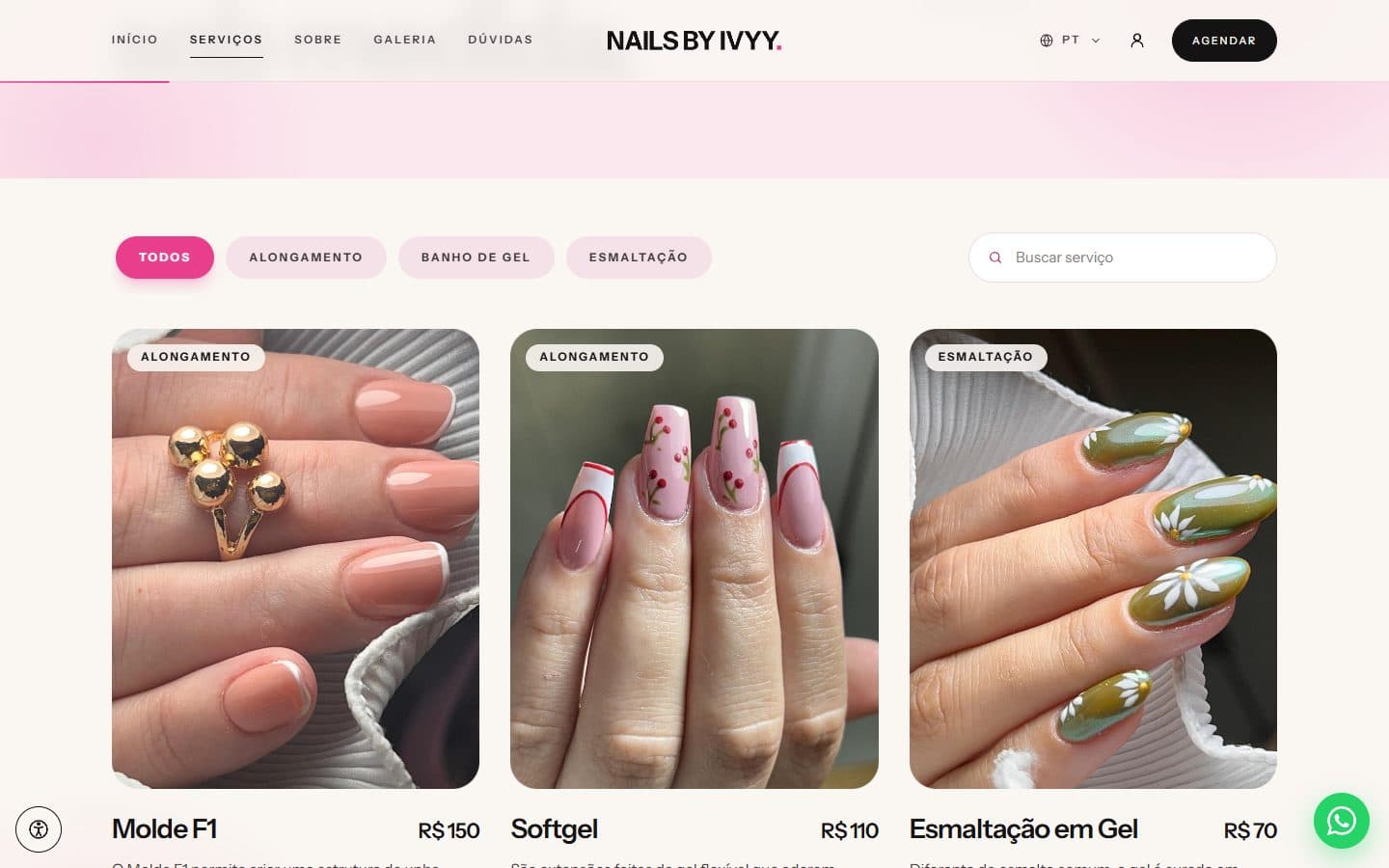
Pick the services
A catalog with category filters and search, showing each service’s duration and price.
- 2
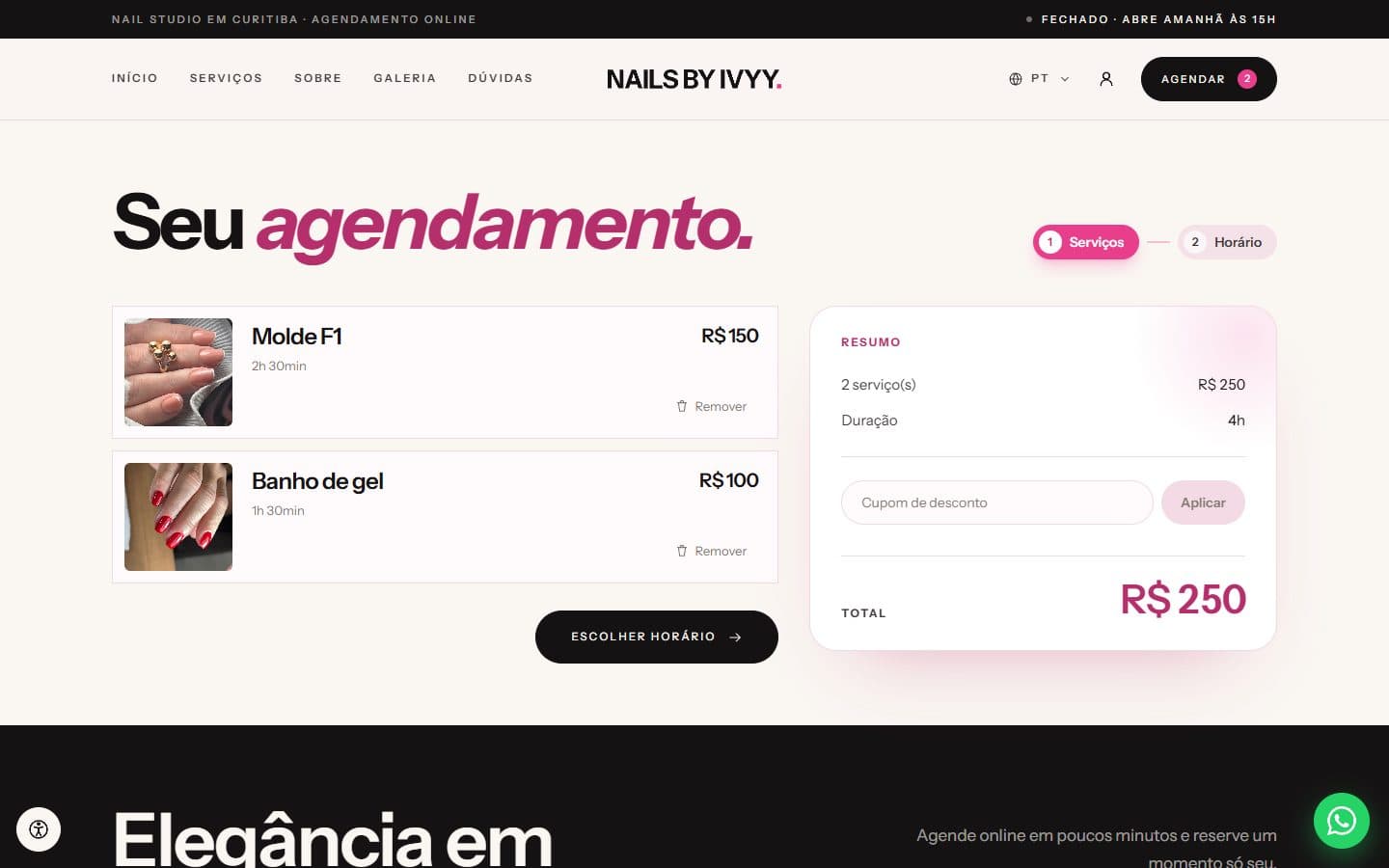
Review the order
The cart adds up price and duration, and applies the coupon and automatic discounts.
- 3
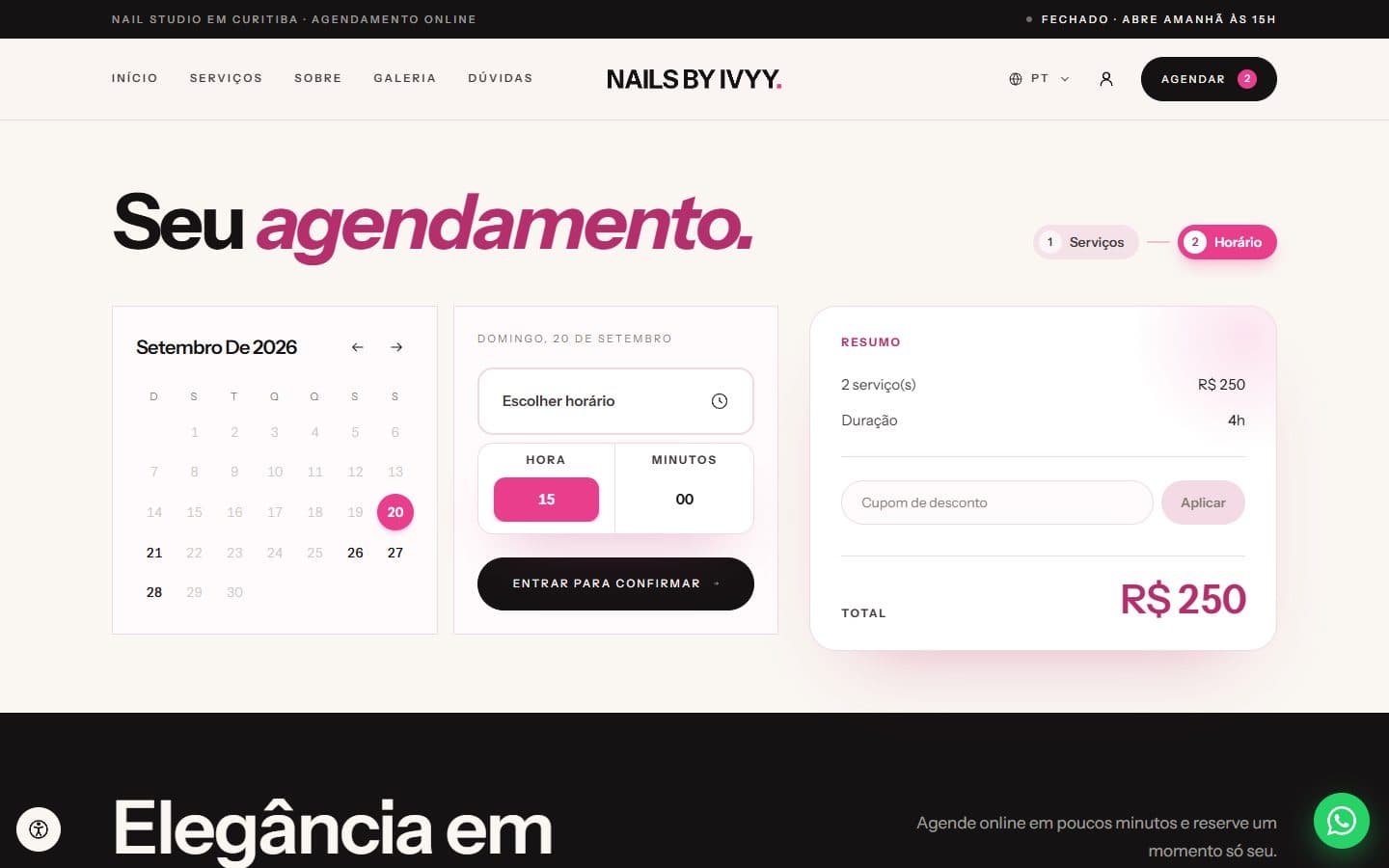
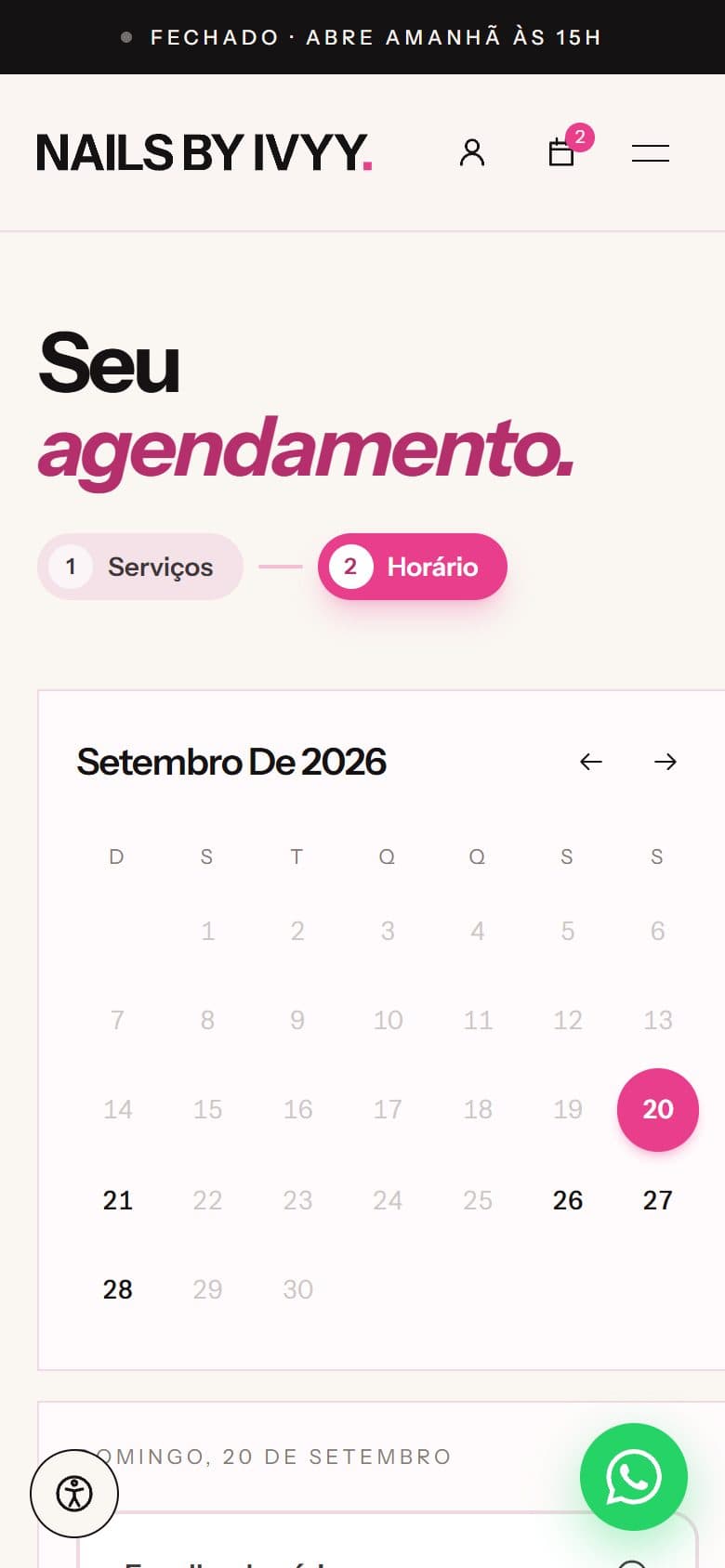
Pick a date and time
The calendar only shows the days and times that are free for the total duration.
- 4
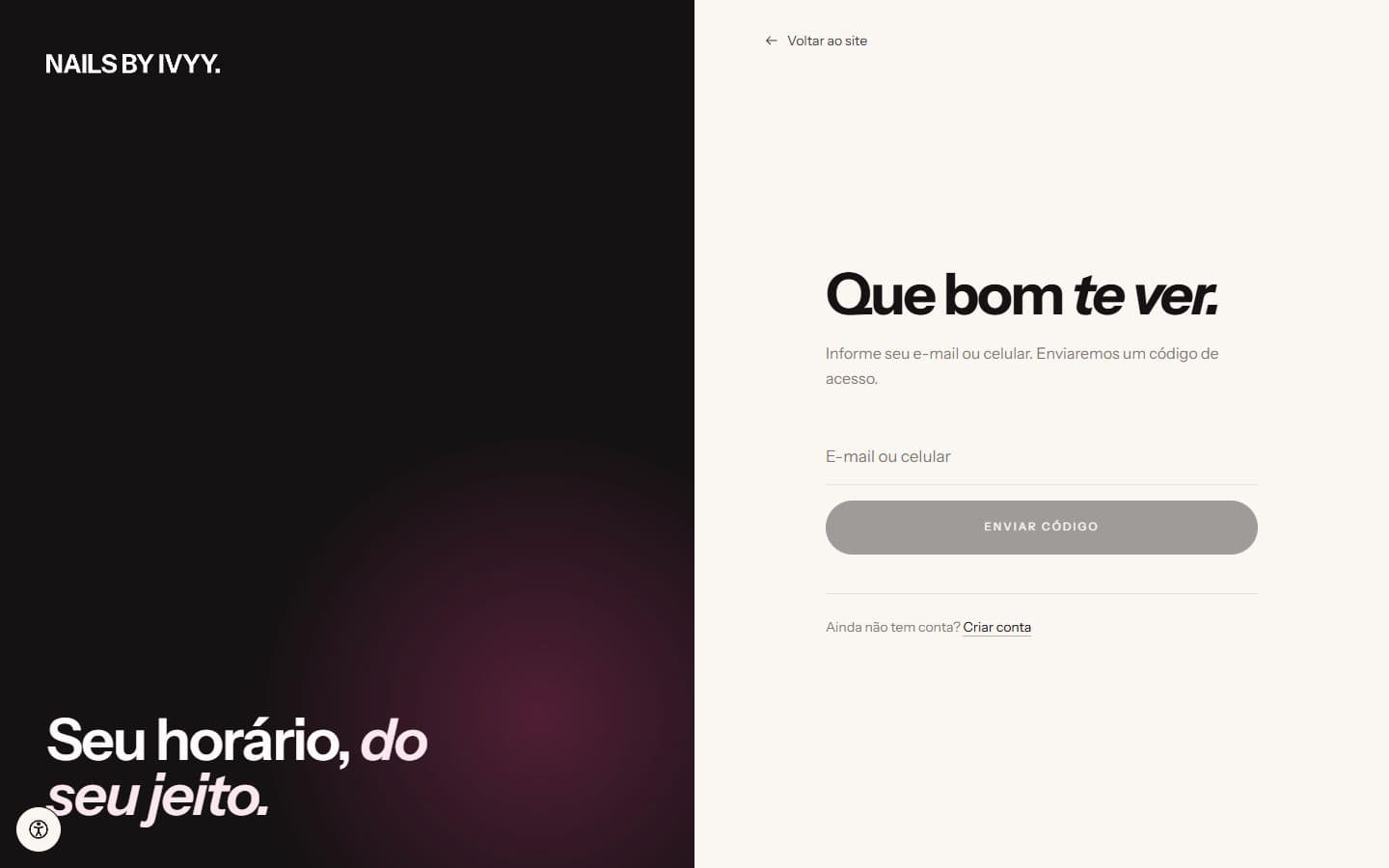
Sign in with a code
Email or phone and an access code right away. The request goes to the owner to confirm.
Inside the calendar
A slot only shows up when it is actually free.
Every availability question goes through a single service. The client site, the cart and the owner’s panel get the same answer, computed on a 15-minute grid over a 45-day window.
- Three sources, one answer
- Appointments, the owner’s blocks and Google Calendar events feed the same registry of busy times. Even a request that is not approved yet holds the slot it asked for.
- Blocks that repeat
- Days off and commitments can repeat daily, weekly or monthly, every N intervals, with an end date and occurrences skipped one by one.
- Google, taken with care
- Google’s “free” flag is not taken at face value: cancelled events, declined invites, birthdays and holidays are left out, and the owner can ignore an event without deleting it.
- Time zones in the right place
- Google times are converted to the studio’s time zone, and the site reads the browser’s time zone to show each slot to whoever is on the other side.
- Fast and discreet
- Each source is queried once for the whole period instead of once per day. And only the owner knows why a slot is taken: clients just see that it is not available.
Integrations
What happens outside the site.
- Google Calendar
- Each appointment is pushed once the database commits the change, with every event’s state tracked and the status color mapped to Google’s palette. Failures go back to the queue when the connection is restored.
- Notifications
- Four channels behind a single interface. Each delivery has a fingerprint, so the same message never goes out twice, and keeps the result and the provider’s message id.
- Every day the posts are fetched, the images converted to WebP and stored with the site. The owner picks in the panel which ones show, and whatever leaves Instagram leaves the site.
- Real time
- New requests, approvals and notifications reach the panel and the client account over Ably, with tokens limited to each one’s channels. If the service fails, the order goes through anyway.
The new website
A refreshed identity, edited by the owner.
In September 2026 the public site was rebuilt from scratch in React on top of the same back end, with a new identity that grows out of the old one: an ivory background, black, rosé only where the eye should go, and heavy headlines with the accent in italics. The old site stays available on another address, ready to come back if needed.
Palette
- Marfim
#faf6f2 - Blush
#fbe8ef - Noir
#151213 - Rosé
#e83e8c - Rosé profundo
#b52f6c
Typography
Instrument Sans in every detail.
Page builder sections
- Hero
- Intro
- Highlight
- Services
- Featured
- Features
- Steps
- Results
- Gallery
- Testimonials
- About
- Story
- Visit
- FAQ
- Articles
- Marquee
- Call to action
- Body text
- A page builder
- Seven page templates with a considered section order. The owner switches sections on and off, changes copy and photos, and sees the result live, next to the form, before saving.
- Two languages, for real
- Portuguese and Spanish, each with its own prefix and translated words in the address. An address in the wrong language redirects, and links from the old site land in the right place.
- SEO from the server
- Title, description, share image, canonical and hreflang come ready from the server, without depending on JavaScript, with structured data for services, offers and FAQs and a sitemap per language.
- Accessibility and privacy
- A panel with three text sizes, high contrast, reduced motion and highlighted links, applied before the first paint. Versioned cookie consent and error pages that look like the site.
Architecture and quality
A layered domain
Scheduling, cart, orders, promotions, notifications and metrics live in domain modules, with DTOs and repositories. The panel and the site are thin layers on top.
Transactional orders
An order checks the services and the slot again, then creates the appointment, its lines and the promotion usage in a single transaction.
Queues
Google sync, reminders and deliveries run on queues, with retries, and only fire once the database commits the change.
Tests
149 tests covering the busy-time sync, the Google connection, recurring blocks, metrics and the site’s pages.
One image, three processes
A single FrankenPHP Docker image running as web, queue and monitoring, with secrets injected at startup and files on S3-compatible storage.
Eyes on production
Pulse, error tracking, a log viewer and a queue monitor inside the panel itself, plus commands to inspect Google events.
Timeline
April 2026
The first site goes live
In nine days: a catalog with add-ons, the cart, orders, the panel, real time, Instagram posts, the tracking link and the first deploy.
May 2026
Messaging and operations
Email and on-site notifications, then WhatsApp; discounts, configurable SEO, access roles, error monitoring and time zone detection.
June and July
Infrastructure and Google Calendar
A FrankenPHP image, secrets, S3 storage and automated releases; the first Google Calendar sync and Instagram images stored with the site.
August and September
Depth and the new website
Editing appointments, confirmation, coupons, SMS, blocks, colors, revenue metrics and Google busy times in the panel. The new website went live on September 18.
Screens
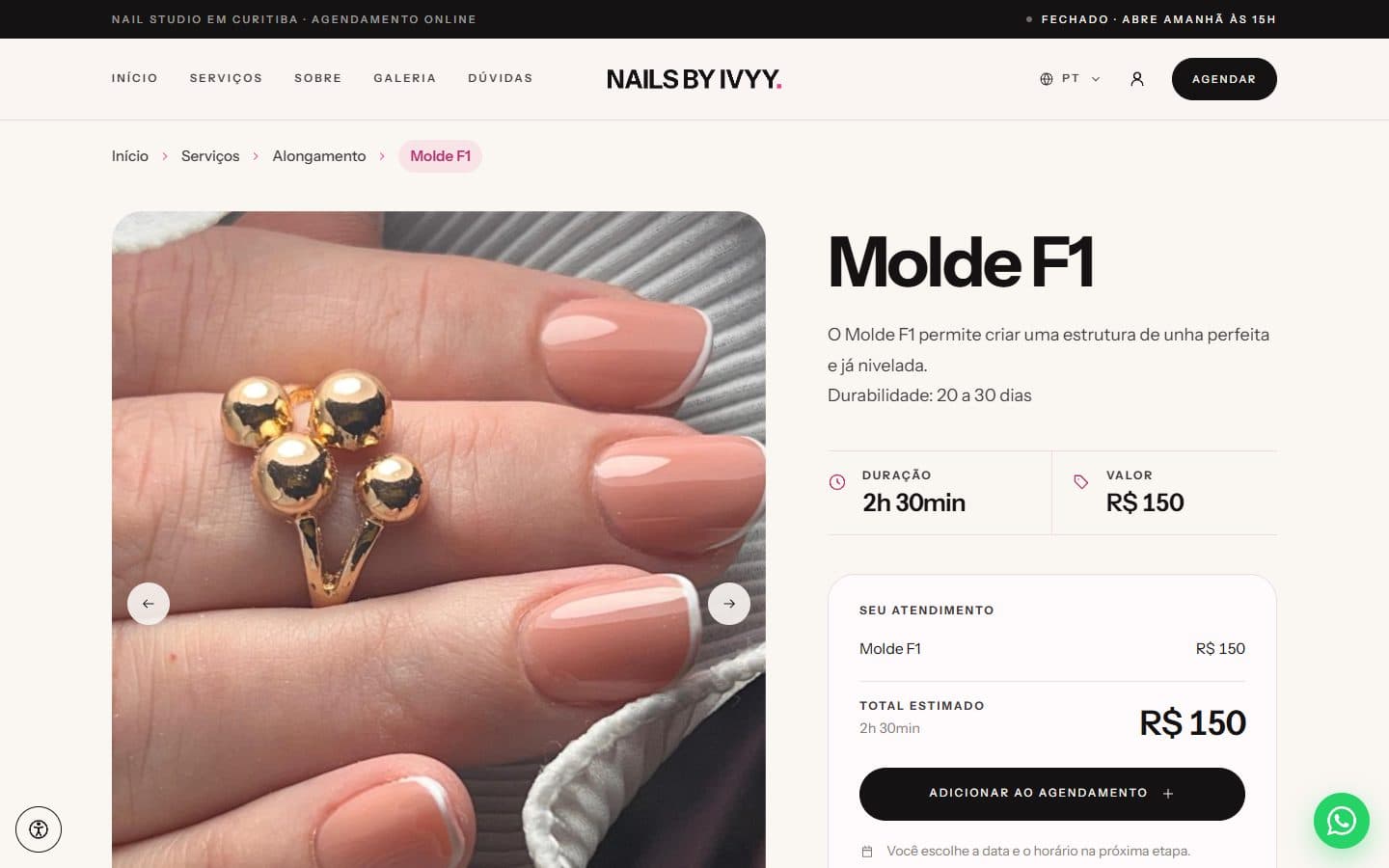
Service page, with photos, duration, price and the booking summary.
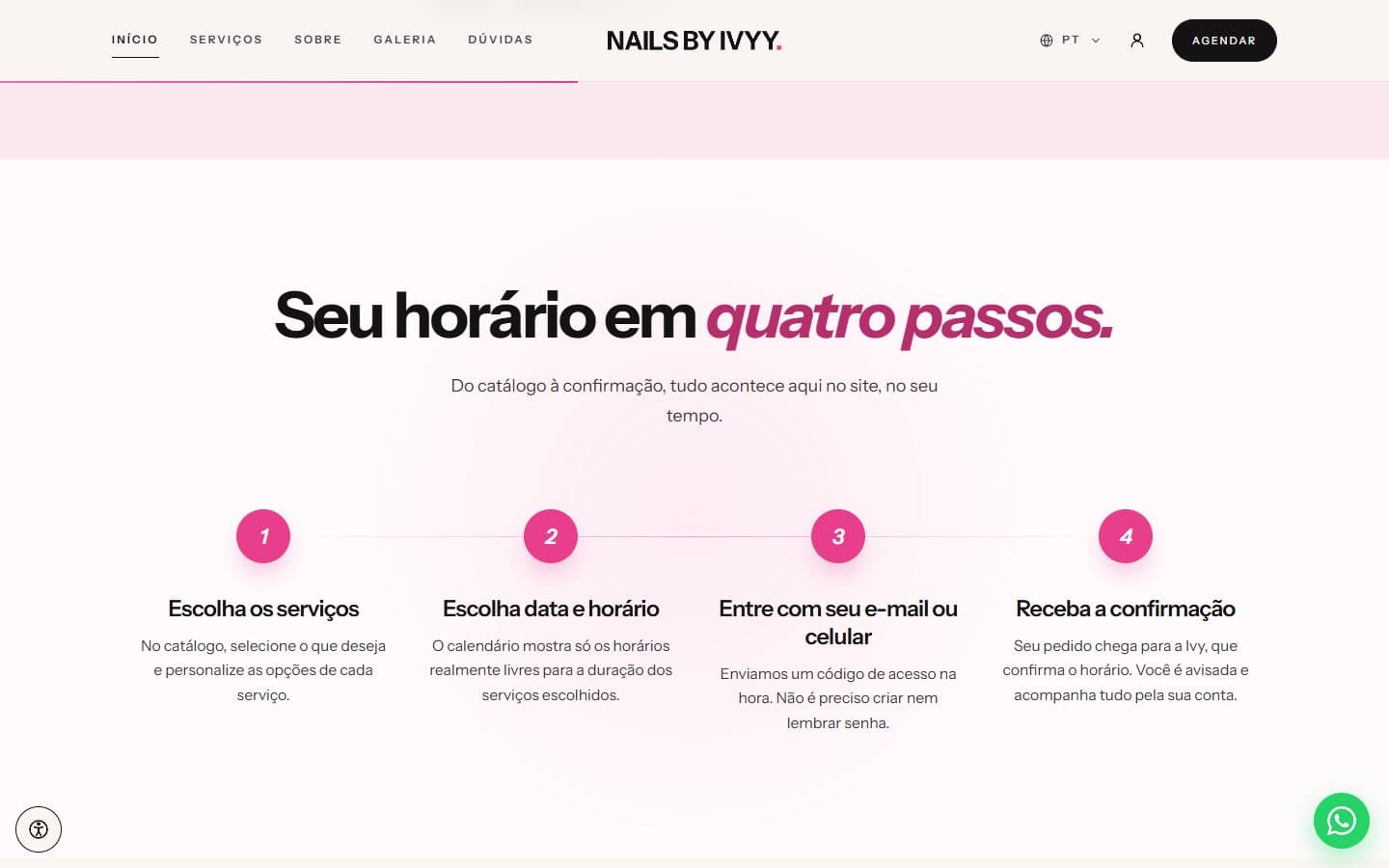
The four booking steps, explained on the home page.
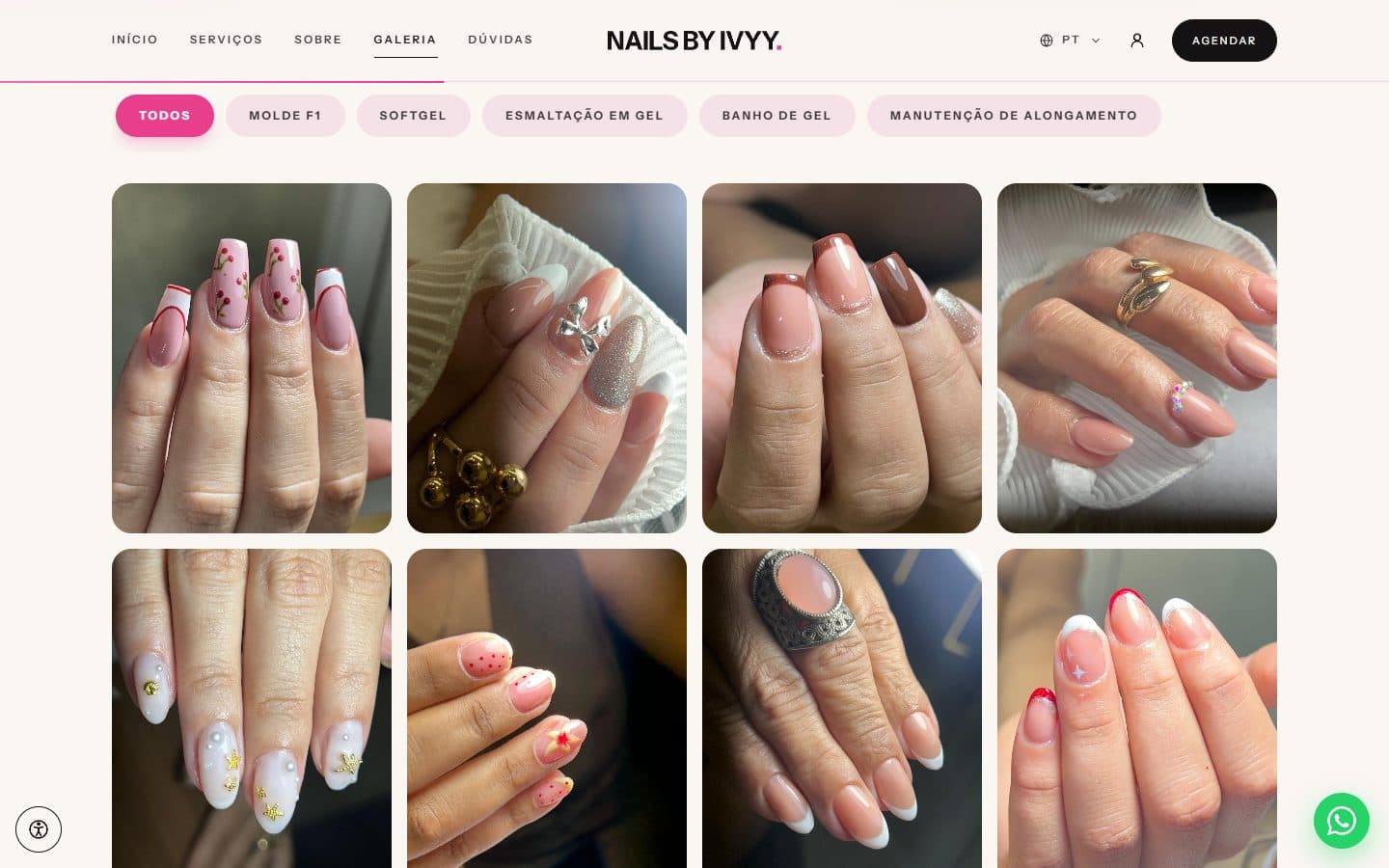
Results gallery filtered by service type.
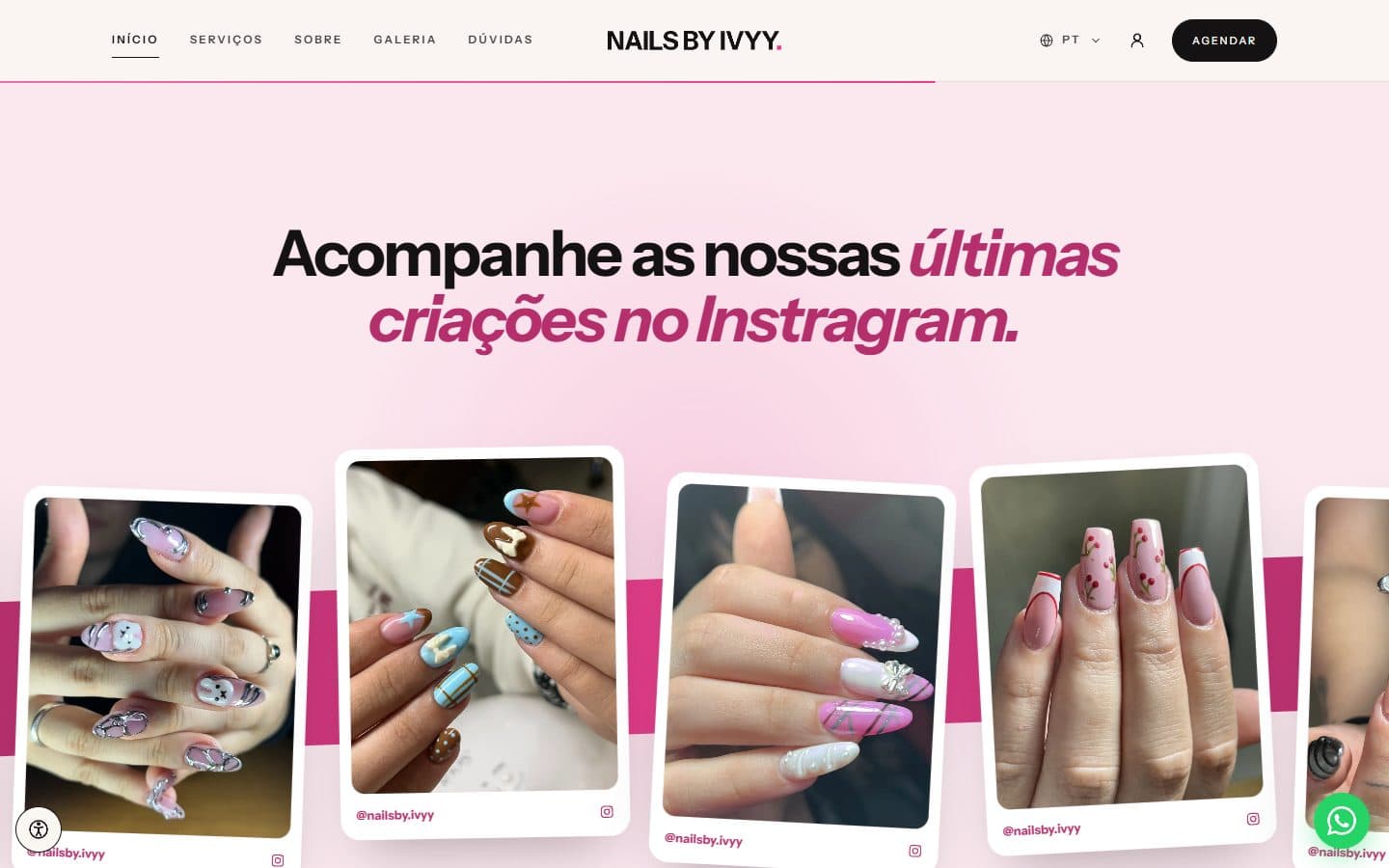
Instagram posts picked by the owner in the panel.
Home page on a phone. 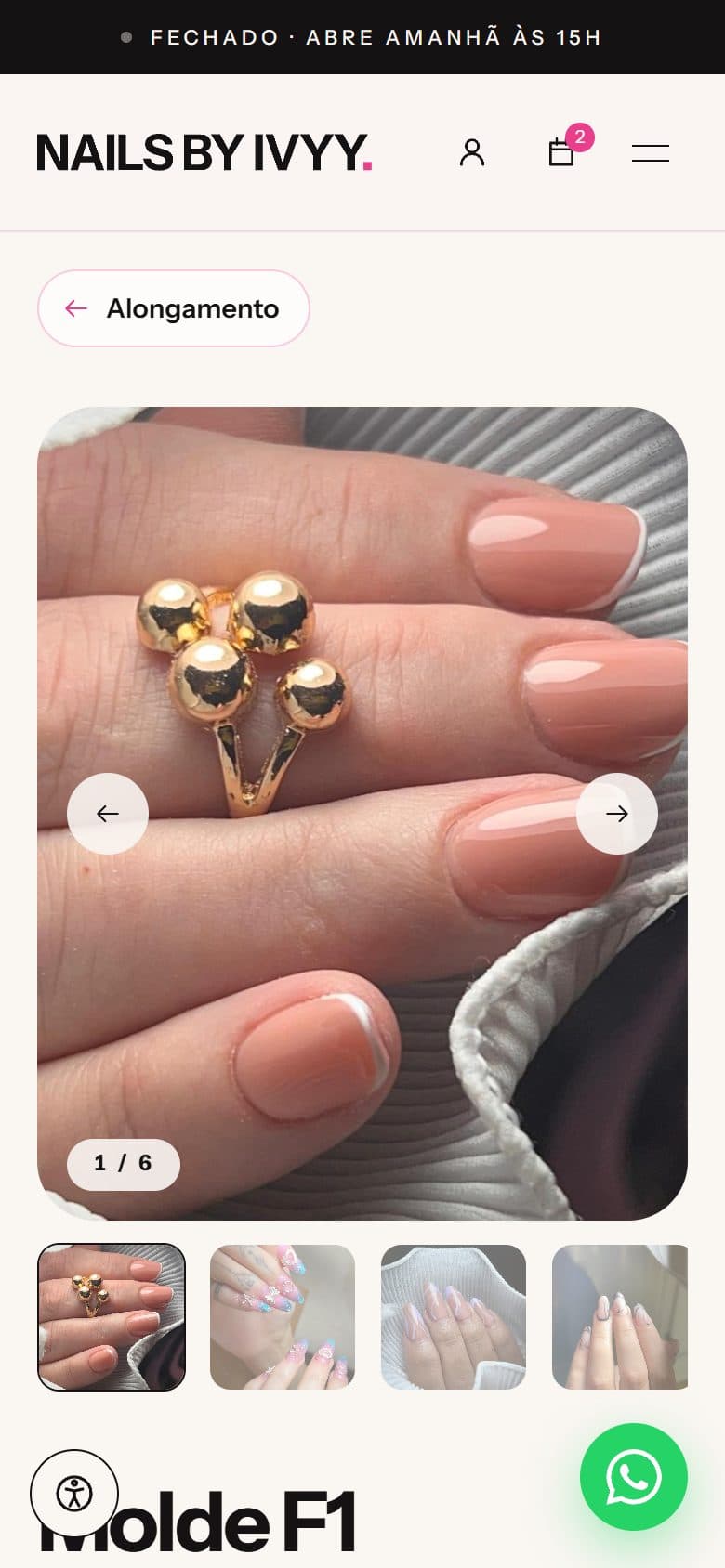
A service with its photo gallery on a phone. Picking a time on a phone.
Screenshots of the site taken by me. The brand, the photos and the studio belong to Nails by Ivyy.
Outcome
The studio has taken bookings through the site since April 2026 and, in September, got a new website. Requests, the calendar and Google Calendar live in one place, and the site is edited in the panel.